
Backing up your photos and files is one of the best ways to protect your valuable memories and important documents. Whether it’s family photos, work files, or personal projects, losing these data can be frustrating and sometimes even devastating. This guide will walk you through easy and reliable methods to back up your digital content, helping you stay prepared for any situation.
Why Backing Up Your Photos and Files Matters
Devices can fail, get stolen, or be accidentally damaged. Without a backup, your data could disappear in just a moment. Regular backups ensure you have a secure copy of your files stored separately from your original device. This way, you can recover your information quickly if something goes wrong.
Different Backup Methods
There are several backup options available, and the best approach often involves using more than one.
1. External Hard Drives
Using an external hard drive is one of the simplest ways to back up your data.
– Pros: You control the device, no internet needed, typically large storage capacity.
– Cons: Physical device can be lost or damaged; requires manual backups unless automated software is used.
#### How to Use an External Hard Drive for Backup
- Connect the external drive to your computer via USB.
- Copy or drag your important folders (photos, documents) onto the external drive.
- Consider using backup software to schedule regular backups automatically.
- Store the drive in a safe, dry place when not in use.
2. Cloud Storage Services
Cloud storage services let you save files to secure online servers.
– Pros: Access files from anywhere, automatic syncing, protection from local device problems.
– Cons: Requires internet, monthly fees for extra storage, dependent on service provider security.
#### Popular Cloud Storage Options
– Google Drive
– Dropbox
– Microsoft OneDrive
– Apple iCloud
Most of these services offer free storage up to a certain limit. You can upgrade to larger plans if needed.
3. USB Flash Drives
Flash drives are small and portable, making them handy for quick backups.
– Pros: Easy to carry, no internet required, inexpensive.
– Cons: Limited storage, easy to lose.
Flash drives are best used for backing up smaller sets of important files or when you need to move files between devices.
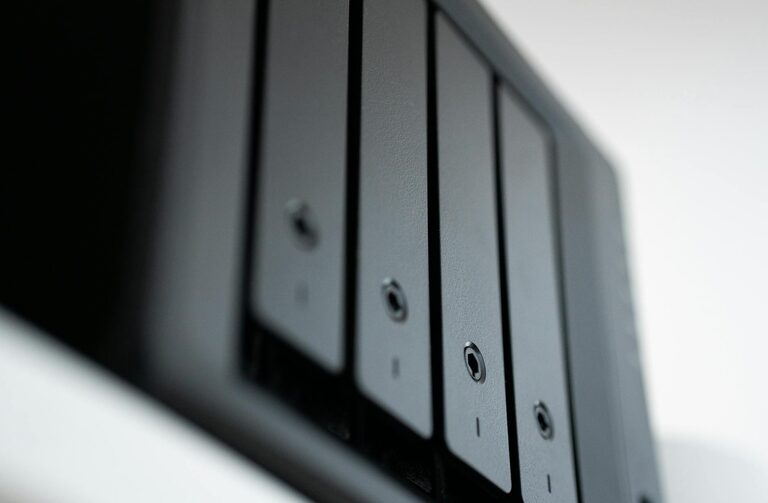
4. Network Attached Storage (NAS)
For advanced home users, NAS devices provide a home file server that stores backups from multiple devices.
– Pros: Centralized backup for many devices, often supports automated and scheduled backups.
– Cons: More expensive, setup required, best for users comfortable with tech.
Best Practices for Backing Up
To make sure your backups work well, follow these guidelines:
1. Use the 3-2-1 Rule
– Keep three copies of your important files.
– Use two different types of storage (e.g., hard drive and cloud).
– Store one backup copy offsite (e.g., cloud or a drive stored in a different location).
2. Schedule Regular Backups
Decide how often your files change and backup accordingly. Weekly or monthly backups suit most people, but if you create or change files daily, consider daily backups.
3. Organize Your Backups
Keep your backups organized by date or category for easy retrieval. Use clear folder names and consistent filing methods.
4. Test Your Backups
Occasionally check your backups to make sure files can be opened and restored properly. This helps avoid surprises when you really need to use them.
Step-by-Step Example: Backing Up Photos Using Google Drive
- Sign in to your Google account and open Google Drive.
- On your computer, open the folder with photos you want to back up.
- Select the photos or folders you want to back up.
- Drag and drop the files into your Google Drive window or use the “New” > “File upload” option to select files.
- Wait for the upload to complete. Your photos are now safely stored in the cloud.
- To access your photos from any device, log in to your Google Drive account.
Conclusion
Backing up your photos and files might seem like a task you can put off, but it’s one of the smartest ways to protect your digital life. By choosing the right backup methods and following simple routines, you can ensure your memories and important documents are safe and available when you need them. Start today with one method and build a system that works for you.
Remember, it’s not a question of if you’ll need a backup, but when. Stay ahead by backing up your files regularly!