
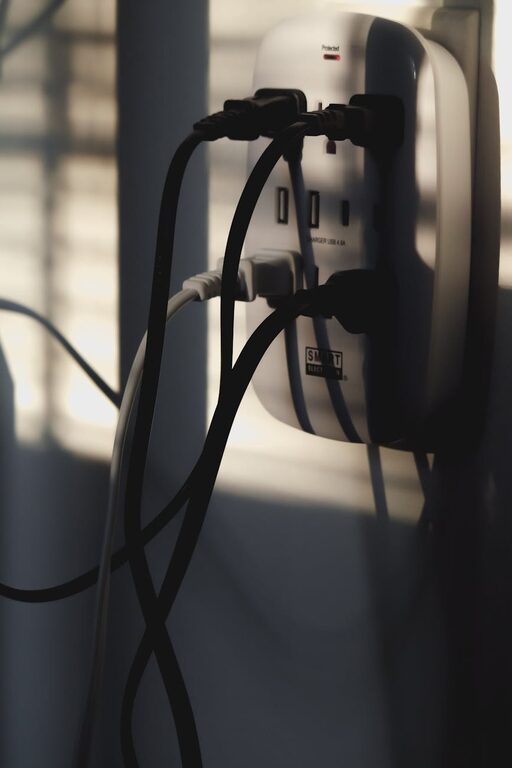
Creating a dedicated charging station for your devices can simplify your daily routine and help keep your space tidy and organized. Whether you have smartphones, tablets, smartwatches, or other rechargeable gadgets, a well-planned charging area saves time and prevents clutter. In this post, we’ll walk you through the steps to set up an effective charging station, including choosing the right location, selecting equipment, and organizing cables.
Why Set Up a Charging Station?
Many of us use multiple devices daily, often needing to charge them overnight or during work hours. Without a specific area for charging, cords can get tangled, devices misplaced, and power outlets overcrowded. A charging station helps by:
– Centralizing all charging needs in one place
– Reducing cable clutter and confusion
– Protecting devices from accidental falls or spills
– Making it easy to see which devices need charging
Now that you understand the benefits, let’s explore how to create your own charging station step by step.
Step 1: Choose the Best Location
Start by picking a convenient, accessible spot for your charging station. Consider these options:
– A desk or workstation surface if you use devices while working
– A side table in a common living area
– A dedicated shelf or nook near a power outlet
– A nightstand or dresser in the bedroom
Make sure the location has enough power outlets nearby and is safe from water spills or excessive heat. It should also be a place where you often gather or store your devices.
Step 2: Gather Charging Equipment
The right equipment is key to an efficient station. Here’s what you may need:
Power Strips or Charging Hubs
A power strip with surge protection or a USB charging hub helps maximize outlets and charging ports. Look for models with multiple USB-A and USB-C ports to accommodate different device types.
Charging Cables
Use high-quality cables suited for your devices. Consider getting extra lengths for flexibility, but not so long that they add to clutter.
Charging Pads or Stands
Wireless charging pads or stands are handy for compatible devices, reducing cable usage. They can also help position the devices upright for easy use while charging.
Organizers and Holders
Cable organizers, clips, or boxes keep cords untangled. Device stands or trays help separate different gadgets for easy access.
Step 3: Arrange Your Charging Station
Once you have the location and gear, set up your station by following these tips:
- **Position power sources:** Plug in power strips or hubs close to the power outlet, making sure they are stable and secure.
- **Arrange cables neatly:** Use cable clips or ties to bundle excess cable length and prevent tangling.
- **Use organizers:** Place cables, adapters, and small accessories in bins or holders for easy retrieval.
- **Label cords if necessary:** For multiple similar cables, small labels can help identify which cable belongs to which device.
- **Place devices thoughtfully:** Use charging stands or pads to keep devices accessible and visible.
Step 4: Maintain Your Station
To keep your charging station useful over time:
– Regularly check cables for wear and replace if necessary
– Remove dust and debris from devices and charging equipment
– Periodically reorganize the station to keep things tidy
– Avoid overloading power strips to prevent electrical hazards
Bonus Tips for a Smarter Charging Station
– Consider adding a small lamp or LED lights for better visibility
– Use smart plugs to schedule charging times to save energy
– Integrate a small shelf or drawer nearby to store device manuals or extra cables
– Add a charging station to multiple rooms, such as one in the office and one in the living room
Conclusion
Setting up a charging station is a simple project that improves your daily device management and keeps your space neat. By selecting a convenient location, choosing the right equipment, organizing cables, and maintaining the setup, you create a practical hub for powering your devices efficiently. Whether at home or the office, a dedicated charging station helps keep you connected and clutter-free.
Ready to create your own? Gather your gear and start designing a charging station that fits your lifestyle!